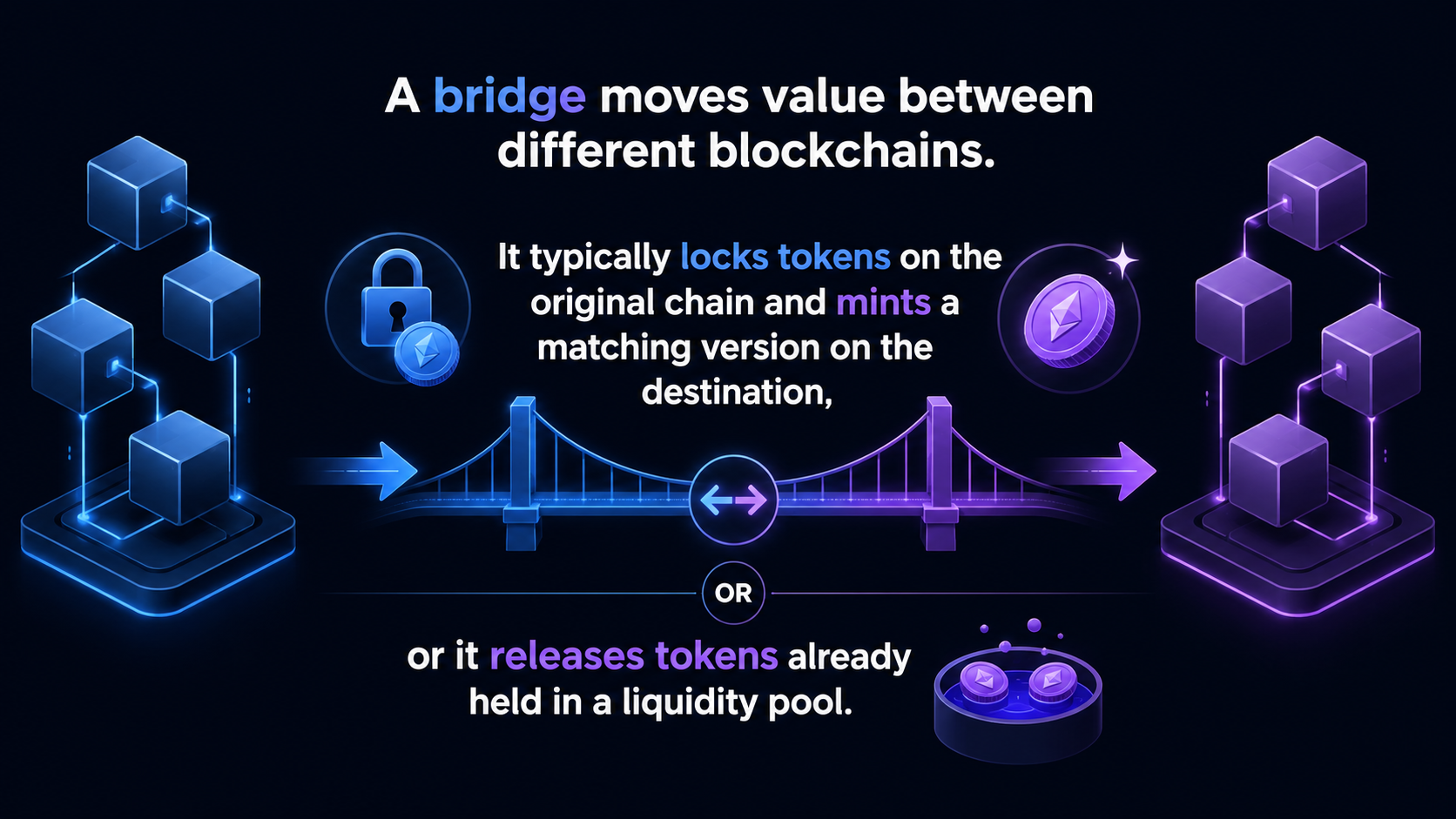
You want to move assets onto Robinhood Chain and start using its onchain products. The process can be quick, but crypto bridges aren’t the easiest to use.
Robinhood Chain is an Ethereum Layer 2 network made to be fast and efficient.
Here is how to prepare, bridge a small test amount, check fees, and avoid the mistakes that can turn a simple transfer into an expensive mistake
Let’s get into it!
Key highlights:
- Robinhood Chain and the Robinhood Wallet are distinct from the standard Robinhood trading app experience
- Only use a bridge and token route that is officially supported by the Robinhood ecosystem
- Ensure you have sufficient gas funds available on both the source network and the destination network
- Execute a small test transfer before attempting to move a larger balance to verify the bridge path
- Never share your seed phrase or private key associated with your self-custody wallet with support staff, websites, or social media accounts
What is Robinhood chain?
Robinhood Chain is a high-performance, permissionless blockchain project designed for:
- Onchain finance
- Tokenized assets
- Decentralized applications
It’s built using advanced Arbitrum technology, specifically the Arbitrum Nitro stack. This EVM-compatible network serves as a foundational layer where you can hold and use assets directly through a self-custody ), the developer docs (docs.robinhood.com/chain), and the mainnet support article in Robinhood’s help center.
Here’s what to verify and exactly how to do it:
The destination chain and network details
Match what your wallet shows against Robinhood’s published values:
- Chain ID 4663
- RPC URL https://rpc.mainnet.chain.robinhood.com (Note: the RPC URL isn’t a website, pasting it into a browser will return a JSON parsing error, which is normal. It belongs in your wallet’s network settings, not your address bar.)
- Currency symbol ETH
- Block explorer robinhoodchain.blockscout.com
Open your wallet’s network settings and confirm the Chain ID reads exactly 4663.
The token contract address
This is the check that prevents the most expensive mistakes. Robinhood publishes a canonical token list at docs.robinhood.com/chain/contracts. A token with a matching name or ticker but a different contract address is not the real asset. Anyone can mint an impostor.
Copy the address from that page, paste it into the Blockscout explorer, and confirm it matches before you add the token to your wallet.
Keep in mind that a bridged token’s address on Robinhood Chain is different from its address on Ethereum, so never reuse the Ethereum address and assume it carries over.
The supported asset and source network
The two official ways in are the canonical Arbitrum bridge or an approved partner route, for ETH and supported ERC-20 tokens. Confirm your starting chain is on the supported list at docs.robinhood.com/chain/bridging before you start.
I should note: on the main launch route, you send USDC from a supported chain (Ethereum, Arbitrum, Base, and Solana among them), and it arrives on Robinhood Chain as USDG, the Paxos-issued Global Dollar, not as USDC. Expect a different ticker on the other side.
That’s normal, not a sign something went wrong.
Minimums and limits
These vary by route and asset, so there’s no single number to memorize. Your bridge quote screen shows the minimum, the estimated amount received, and the fees before you confirm. Read it, and cancel if anything looks off.
Maintenance notices and paused routes
For planned upgrades and outages, check Robinhood’s Notices & Upgrades page in the docs (docs.robinhood.com/chain/notices-and-upgrades). That’s the official channel for it.
For live network health, use the official explorer: Robinhood Chain uses Blockscout at robinhoodchain.blockscout.com, and Etherscan does not support chain ID 4663. Third-party explorers exist, but trust the Blockscout one for status.
Your jurisdiction
Availability is enforced at the product level. Stock Tokens are offered through Robinhood Wallet in more than 120 countries, but availability varies by jurisdiction. The practical check is to open your Robinhood Wallet and see what’s actually offered in your region.
If the specific product you want isn’t available where you are, stop. Sending funds to a route or asset that isn’t supported for you can leave them stuck or impossible to recover.
Prepare your wallet and funds before using Robinhood Chain bridge
A few minutes of setup can save you from losing a lot of money, or at the very least from spending hours troubleshooting later.
Use a compatible self-custody wallet, such as the Robinhood Wallet or MetaMask. This means you control your recovery phrase and can successfully connect to the official bridge interface. If the Robinhood Chain network doesn’t appear automatically in your wallet settings, you may need to add the network manually using official RPC settings.
Copy your wallet address directly from your application. Do not type it by hand. Then, compare the first and last characters before confirming any transaction.
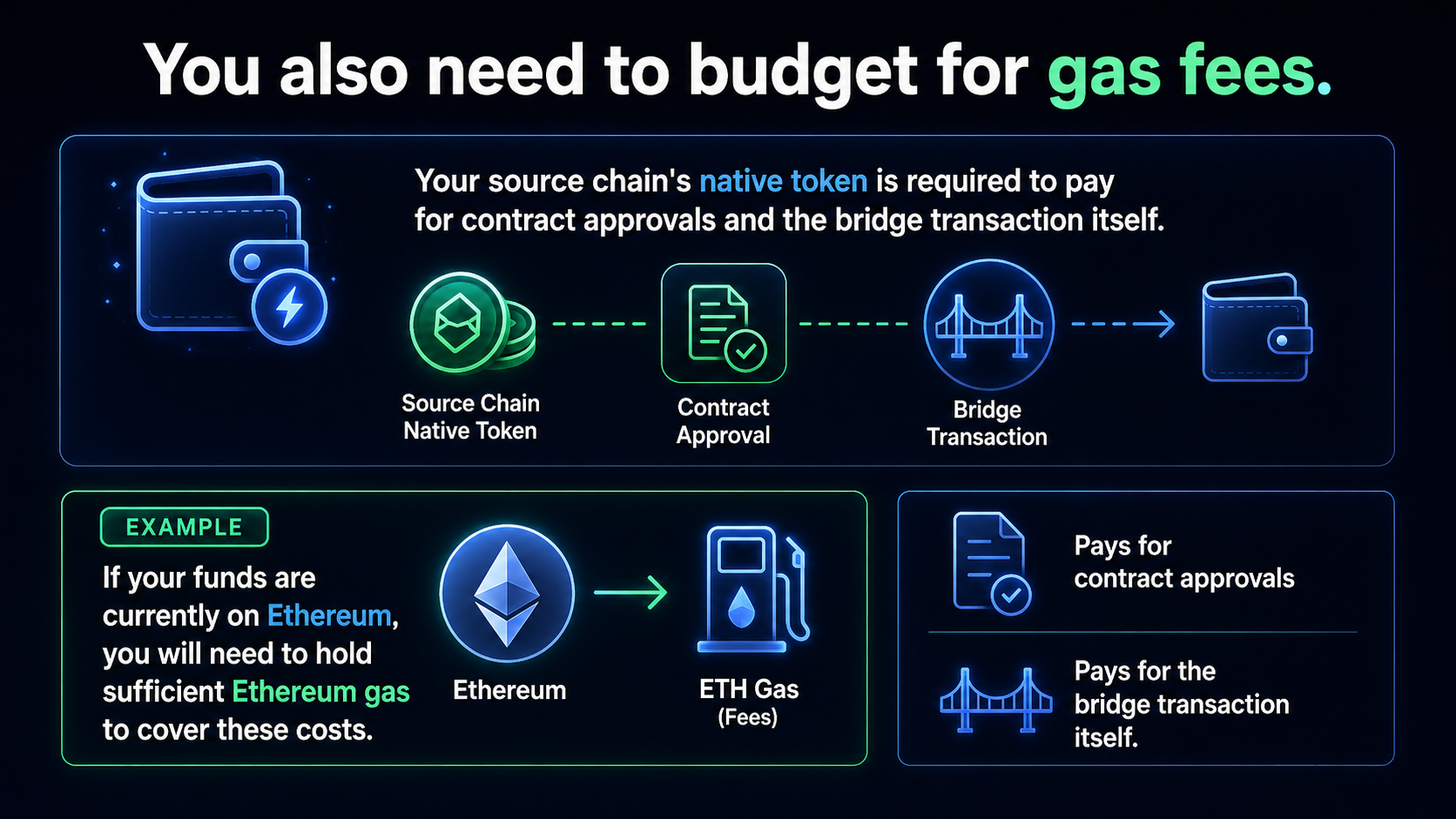
You should also ensure you have enough tokens on the destination chain to cover future transactions once your funds arrive on Robinhood Chain.
A separate test wallet is useful if you are trying a new bridge for the first time. At minimum, always start with a small amount of capital that you can afford to lose.
Use the right wallet, token, and network combination
Connect your wallet only after you have opened the official bridge portal. Select the chain where your funds currently reside, then choose Robinhood Chain as your destination.
Next, choose a token that the bridge lists as supported. A ticker symbol is not enough to identify a token, as anyone can create an asset called USDC, ETH, or WBTC.
Before approving anything, check these four items:
- Your connected wallet address
- The source network
- Robinhood Chain as the destination
- The token’s verified contract address
Budget for gas, bridge fees, and slippage
Your total cost of using crypto bridges may include source-chain gas, bridge or relayer fees, destination gas, and a potential swap fee if the route converts your assets.
Fees change frequently based on network demand. The final amount received can also differ from your initial estimate.
Read every approval screen carefully. Keep extra funds in your wallet to cover fluctuations in gas fees. Do not accept an unexplained fee, an unlimited token approval, or an unusually high slippage setting.
Note: Robinhood Chain waived gas fees for the first 90 days on core activities like swaps, bridges, and perpetual futures.
How to bridge to Robinhood Chain step by step
The official interface may look different over time, but the workflow for using a cross-chain bridge usually follows the same pattern.
Whether you use the native portal or a reliable third-party provider like Jumper exchange, follow these steps to move your assets:
- Open the official Robinhood bridge. Find it through Robinhood’s verified app, help center, or official documentation. Avoid links from ads, direct messages, and unverified social accounts.
- Connect your self-custody wallet. Confirm the wallet prompt comes from the correct domain. Check the connected address before moving forward.
- Choose your source network. Select the blockchain where the asset currently exists. Your wallet may ask you to switch networks to facilitate the transfer.
- Choose Robinhood Chain as the destination. Read the destination selection carefully. Similar chain names can create expensive confusion when you are trying to bridge assets.
- Select a supported asset and enter a small amount. Start with a test transfer. ETH is the simplest choice, since it bridges in directly as ETH and is the token you’ll need for gas anyway.
- Review the bridge quote. Check the amount you send, estimated amount received, fees, expected processing time, and minimum amount. If the numbers don’t make sense, cancel the process.
- Approve the token if prompted. Many smart contracts require a separate approval transaction before the bridge can move your tokens. This may cost gas and will appear as an individual request in your wallet.
- Confirm the bridge transaction. Your wallet will show the final transaction details. Compare the chain, contract interaction, amount, and gas cost one more time.
- Wait for confirmations. Do not close the page immediately. The source transaction may confirm quickly, while the bridge itself often takes longer to fully complete.
- Switch to Robinhood Chain in your wallet. Once the transfer shows as completed, check the destination balance. You may need to add the verified token contract to make the asset visible in your wallet interface.
The first test is your proof that the route works for your wallet, token, and location. Wait for the test funds to arrive before you send a larger amount to the Robinhood Chain.
Note: There is no single “Robinhood bridge” website. Robinhood’s official documentation at https://docs.robinhood.com/chain/bridging lists the approved routes. The canonical (trustless) route is the Arbitrum bridge at https://portal.arbitrum.io/bridge:
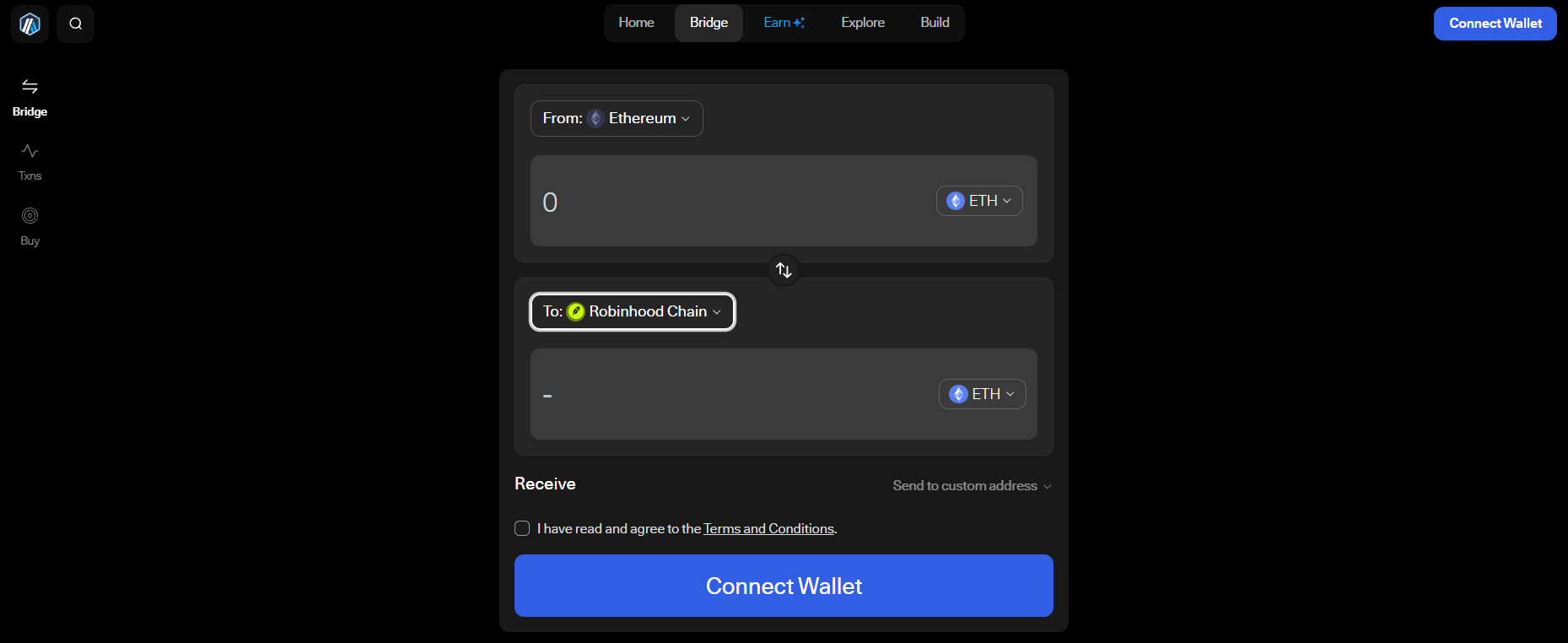
But there are also faster options like Across, Relay, and Jumper listed. Always reach these through Robinhood’s docs page rather than a link from an ad, DM, or social post.
Confirm the transfer onchain and in your wallet
Copy the transaction hash after you submit the transfer. Use the relevant source and destination block explorer to check its status in real time.
A pending transaction is still waiting for network confirmation. A failed transaction didn’t complete. A confirmed source transaction may still show a bridge status such as processing. Completed means the destination side has finished the process.
Check the destination network, wallet address, token contract, and balance. If the balance is not visible, import the verified token contract into your wallet before assuming the funds are lost.
What to do if your bridge transaction is delayed
Don’t send the same transfer again. Duplicate transactions can create a much bigger problem.
Check the source transaction first using a block explorer. Then review the bridge status and destination explorer. Some routes wait for multiple source confirmations or depend on a relayer to finish the process.
Make sure your wallet is switched to the correct network. Also check official maintenance notices before contacting support.
If you need help, provide the transaction hash, wallet address, timestamp, and screenshots of the error. Never include your recovery phrase or private key.
Legitimate support will never ask for your seed phrase, private key, or remote access to your device.
Stay safe and avoid costly Robinhood Chain bridge mistakes
Blockchain transfers are usually irreversible. Bridge contracts also carry technical risk, even when the route is legitimate. When participating in decentralized finance, it is essential to remain vigilant regarding the bridge you choose to access the Robinhood Chain.
Type the official domain yourself when possible. Confirm the URL before connecting your wallet. If you use a crypto hardware wallet, read the device screen before approving every transaction. Keep a record of transaction hashes. Review token approvals regularly, especially after testing unfamiliar applications or interacting with new protocols.
Red flags that mean you should stop the transfer
Stop immediately if you see any of these signs:
- A search ad or social media post leads you to the bridge
- Someone asks for your seed phrase or private key
- A recovery agent requests an upfront payment
- The token contract is unfamiliar, references suspicious smart contracts, or doesn’t match official details
- The chain name differs from the route you selected for your Robinhood Chain transfer
- A message pressures you to act before an offer expires
- Your wallet prompt requests more tokens than you entered
Phishing attempts are common, unfortunately. Always verify the destination network carefully to avoid crypto scams.
Costs, limits, and what you can do after bridging
Bridging can give you direct onchain access, but it also increases your personal responsibility. Your total cost depends on the source network, the asset, your specific bridge route, current network congestion, and any subsequent swap or gas fees.
Minimums, maximums, jurisdiction rules, and transfer limits can fluctuate. Always check the live terms before initiating each transfer.
| Option | What You Get | Main Tradeoff |
| Bridge to Robinhood Chain | Direct onchain wallet access | More steps and gas fees |
| Buy through a centralized platform | Familiar account experience | May not provide onchain access |
| Withdraw from a platform | Control of assets in a wallet | Potential withdrawal fees |
Once your funds arrive on the Robinhood Chain, you can engage with the broader ecosystem. Advanced users can explore perpetual futures to hedge positions or leverage market movements.
Also, the network supports the growing field of agentic trading, where automated agents manage your portfolio strategy. If you are looking to provide liquidity or trade specific tokens, you can connect your wallet to decentralized exchanges like Uniswap.
After your funds arrive, confirm the balance, make sure you keep enough destination gas for future transactions, and use only verified applications within the Robinhood Chain ecosystem.
The bottom line
The safest way to bridge to Robinhood Chain is straightforward:
- Verify official support channels
- Utilize the verified bridge route
- Select the correct tokens and networks
- Make sure you have sufficient gas funds available for your transaction
If you are wondering how to bridge to Robinhood Chain, start small. Confirm the transaction onchain, then move larger amounts only after the initial test transfer successfully reaches your wallet.
FAQ
Is it possible to reverse a bridge transaction once it has been sent?
No, blockchain bridge transactions are typically irreversible. Once you sign and confirm a transaction in your wallet, the assets are moved according to the smart contract logic, and they can’t be canceled or recovered.
Why does my token balance not appear after the bridge finishes?
Your funds may have arrived, but your wallet interface might need to be configured to display the specific token contract on Robinhood Chain. Try importing the official contract address manually into your wallet settings to see if your balance appears.
What should I do if the bridge transaction is stuck in a processing state?
First, check the status of your transaction hash on a block explorer to see if it’s still pending confirmation on the source or destination chain. Do not initiate a duplicate transfer, as this can lead to further complications. Always consult the official Robinhood documentation for specific support channels.
Source:: How to Bridge to Robinhood Chain: Get Started on Robinhood's Blockchain in Minutes